
Mail, labels & Calendar
Read personal mail, run deterministic label rules on your Mac, schedule from ⌘K, and bring colleagues into an email only when you choose.
Twin for Mac includes a fast, local Mail and Calendar client alongside your organisation's Twin, so you can read an email from a client, check their certified Thing page in an adjacent Tab, and reply without switching apps.
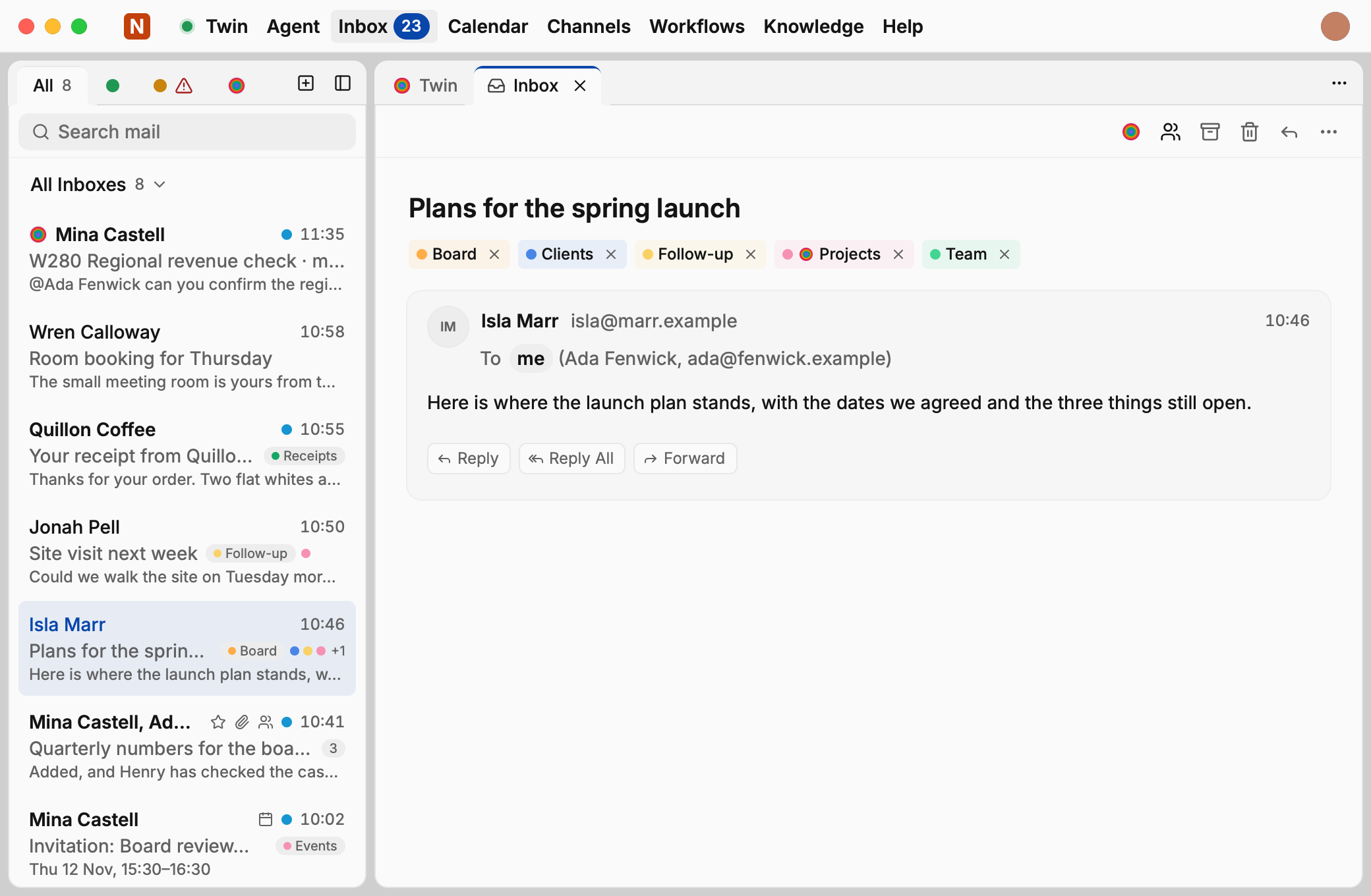
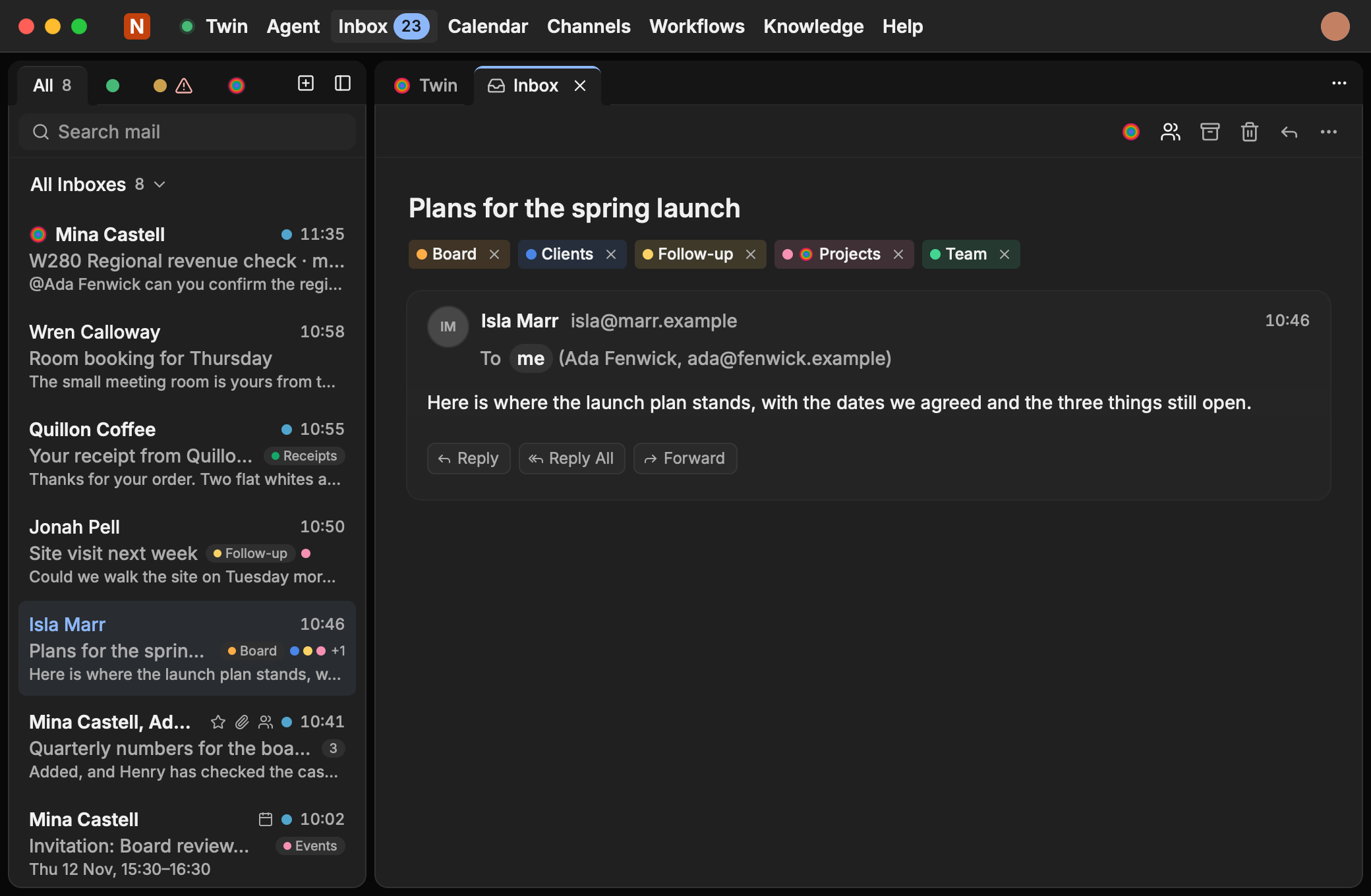
Connect Google, Microsoft, or iCloud
Open Inbox / Mail or Calendar in the top bar and add your Google Workspace / Gmail, Microsoft 365 / Outlook, or iCloud account. Sign-in happens directly on your provider's own page in your browser, and credentials stay in your Mac's Keychain.
Admin app approval in Microsoft 365 or Google Workspace
If your company requires IT approval before mail apps can connect, send the provider consent screen to your workspace administrator to authorise once for your domain.
Organise mail with Labels & local rules (no AI model required)
Labels appear right on each conversation in your message list and at the top of the reading pane:
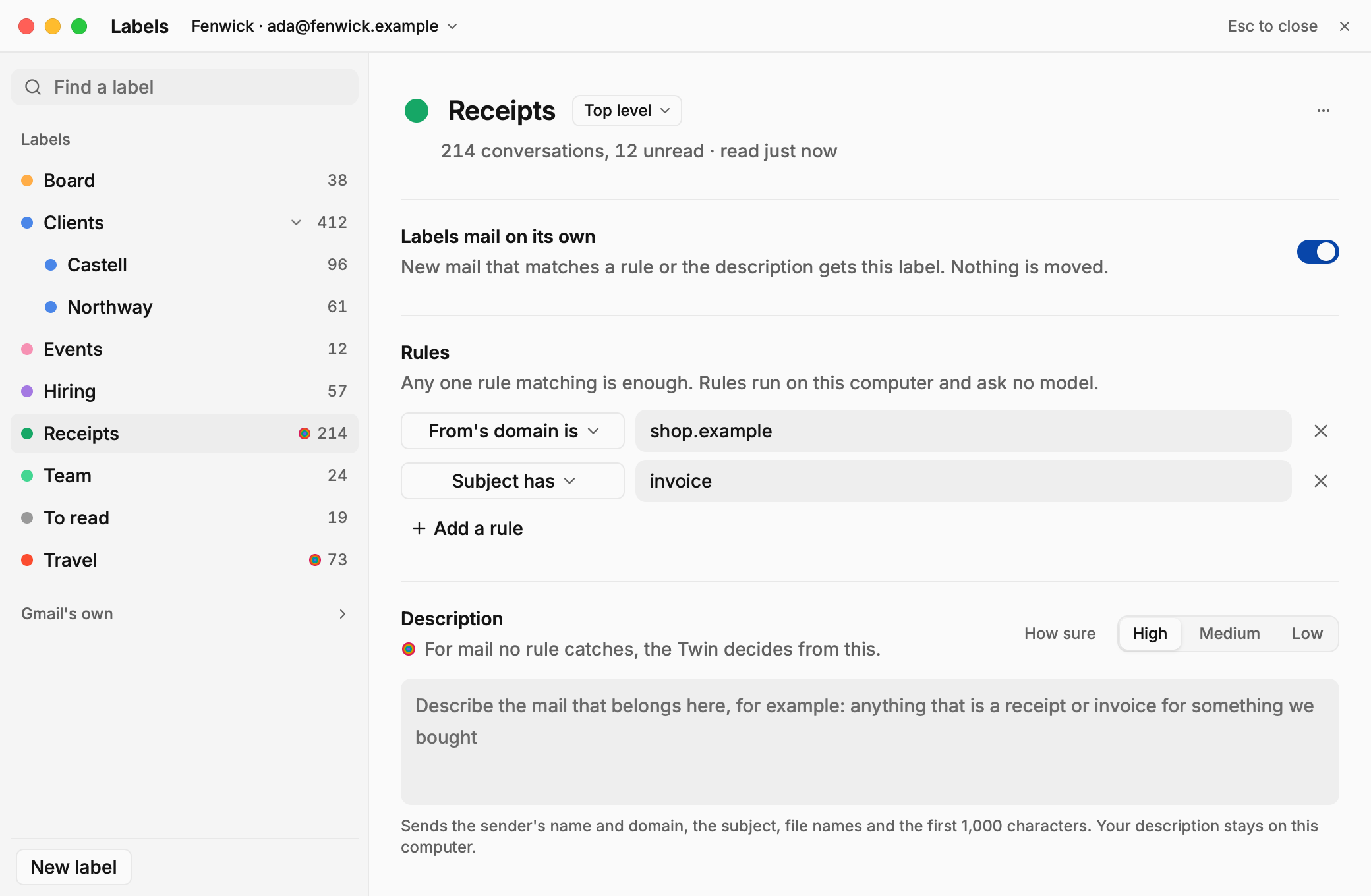
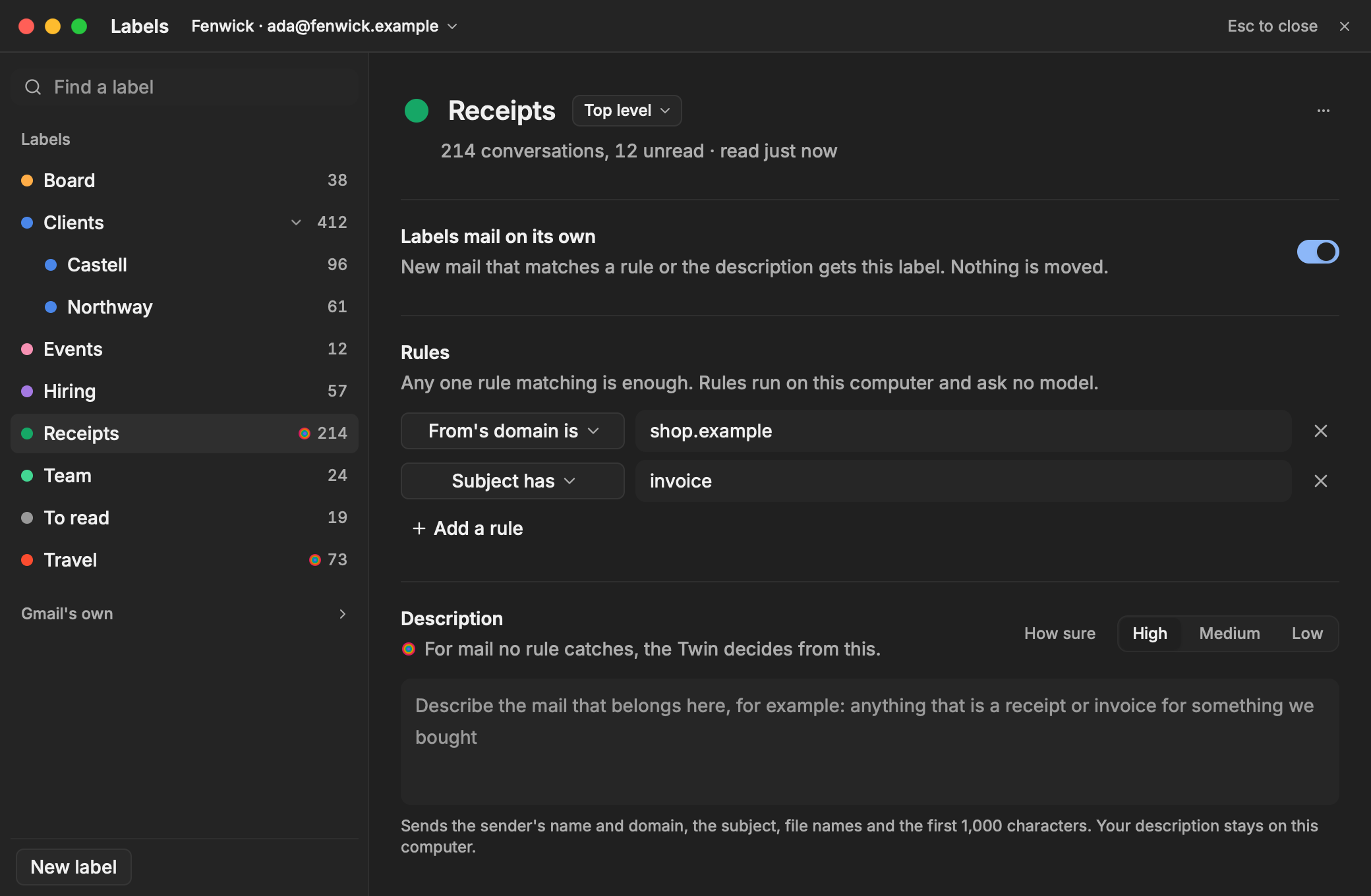
- Open Labels from the Mail sidebar and choose New label (for example
Receipts,Board,Clients, orFollow-up). - Turn on Labels mail on its own and add one or more deterministic rules, such as From's domain is
client.exampleor Subject hasinvoice. - Rules run locally on your Mac and ask no AI model. Matching mail gets the label immediately; nothing is moved or hidden behind your back.
Unified Calendar & ⌘K scheduling
- View all connected work and personal calendars in one clean day, week, or month schedule.
- Press
⌘Kfrom anywhere in Twin to create an event, jump to a date, or open a meeting link without leaving your current Tab.
Personal mail vs. Shared Channel Mailboxes
Twin keeps personal email and shared team queues cleanly separated:
- Your personal mailbox in Twin for Mac stays private on your Mac. Colleagues and organisation-wide agents cannot read it.
- Sharing one email thread: When an email needs team input or a Session, you can explicitly share that conversation with named colleagues or into a Channel. Only what you choose to share enters your Twin, and recipients see clearly who shared it.
- Shared team mailboxes (
billing@,support@,ops@): Team addresses that the whole group triages together are connected at workspace level straight into a Channel, rather than tied to one person's laptop.